

Use the new text-to-claim feature in CME Tracker
SOUTH PUGET SOUND -- Earlier this year, Providence Swedish South Puget Sound CME launched a new text-to-claim feature in CME Tracker to make recording attendance and claiming CME credit easier and more efficient. If you haven’t used it yet—or need a quick refresher—here’s what you need to know.
Start with CME Tracker
To use the texting feature, you must already have a CME Tracker account. This is required before texting can be activated or used to claim credit.
If you do not have an account, you will need to create one online (at no cost) before using the texting option.
Activate and use texting
Once your CME Tracker account is in place:
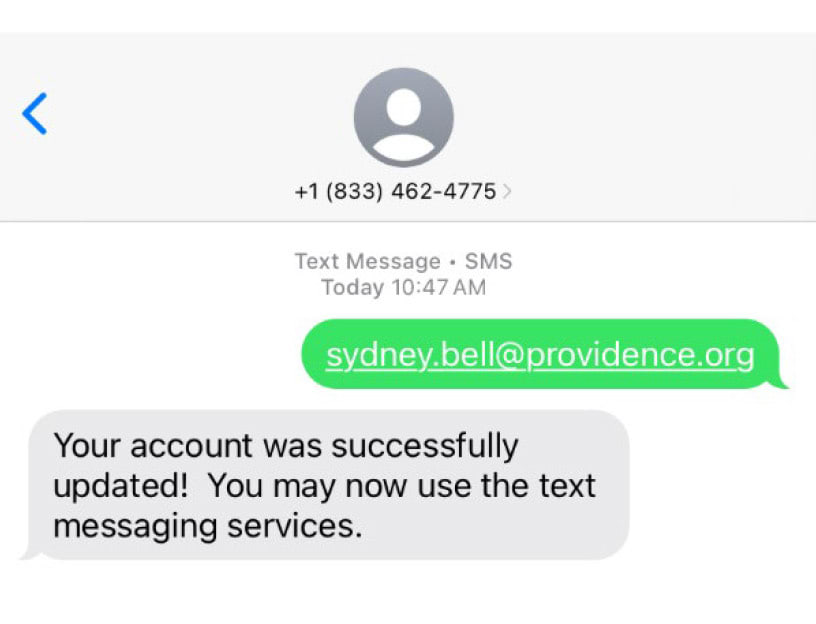
- First-time users should text their CME Tracker email address to (833) 462‑4775 to activate texting.
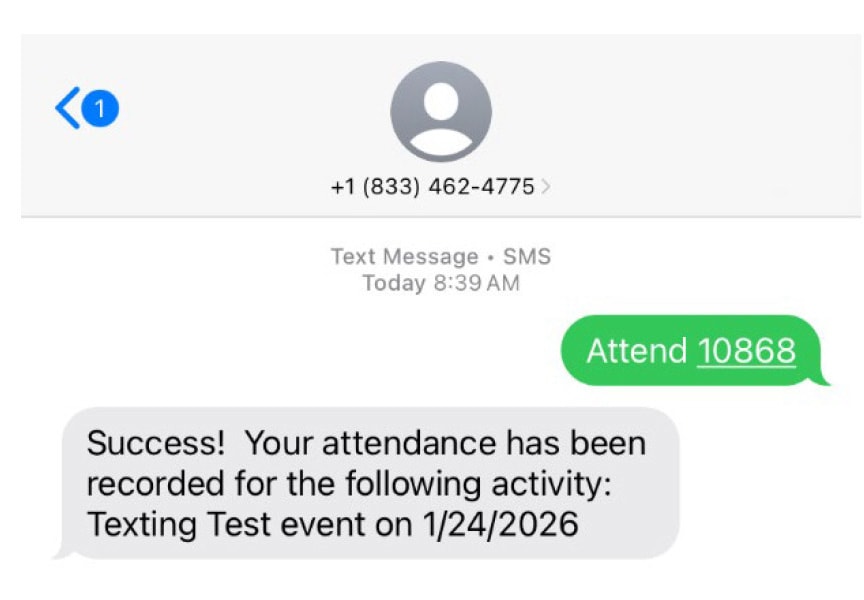
- To record attendance, text: Attend [Activity Code] to (833) 462‑4775.
- You will receive an automatic confirmation when your attendance is successfully recorded.
Important timing guidelines
- Texting: Attendance (and credit) can be submitted by text for up to 7 days after an event.
- CME Tracker website: After 7 days, credit must be claimed directly in CME Tracker, where activities remain available for up to 90 days.
If you need assistance, please contact Sydney Bell, CME coordinator.


